
Red Hat Summit First Timer’s Guide (Part 1)
This is the first part of a two-part Summit guide. Part two is at this link.
Practical Tips
The Red Hat Summit is an amazing annual event that alternates between San Francisco CA and Boston MA. You can register online, and the earlier you register, the more money you will save.
This quote from Red Hat gives a focus for the 2020 Red Hat Summit:
“Red Hat Summit is the premier open source technology event for thousands of IT professionals to innovate and focus on high-performing Linux, cloud, automation and management, container, and Kubernetes technologies.”
https://www.redhat.com/en/summit
There are numerous guides for planning your agenda and getting the most out of the Red Hat Summit. My guide has tips on what to bring, and daily things that at least made my day-to-day time there go easier. Some of this may help, other tips maybe not.
Making the Most of the Summit
I’ve lived in San Francisco years ago and know some things about the city. I have been to three San Francisco Red Hat Summits. Each one has been an amazing experience. The summit was a wonderful time to meet so many amazing people and experiencing technologies, hands-on learning sessions while having a lot of fun.
Here is a well-thought-out guide with a different focus than mine written by Joe Brockmeier of Red Hat. His quote below is worthwhile:
For many people, Red Hat Summit is an annual ritual. A chance once again to catch up on Red Hat’s plans for the year, learn about new technologies, see colleagues and friends, and make new acquaintances. (Joe Brockmeier, Red Hat)
https://www.redhat.com/en/blog/first-timers-guide-red-hat-summit
The Introvert’s guide also offers fantastic tips for the Summit, including arriving early for whatever sessions you’ve signed up for.
Restaurants
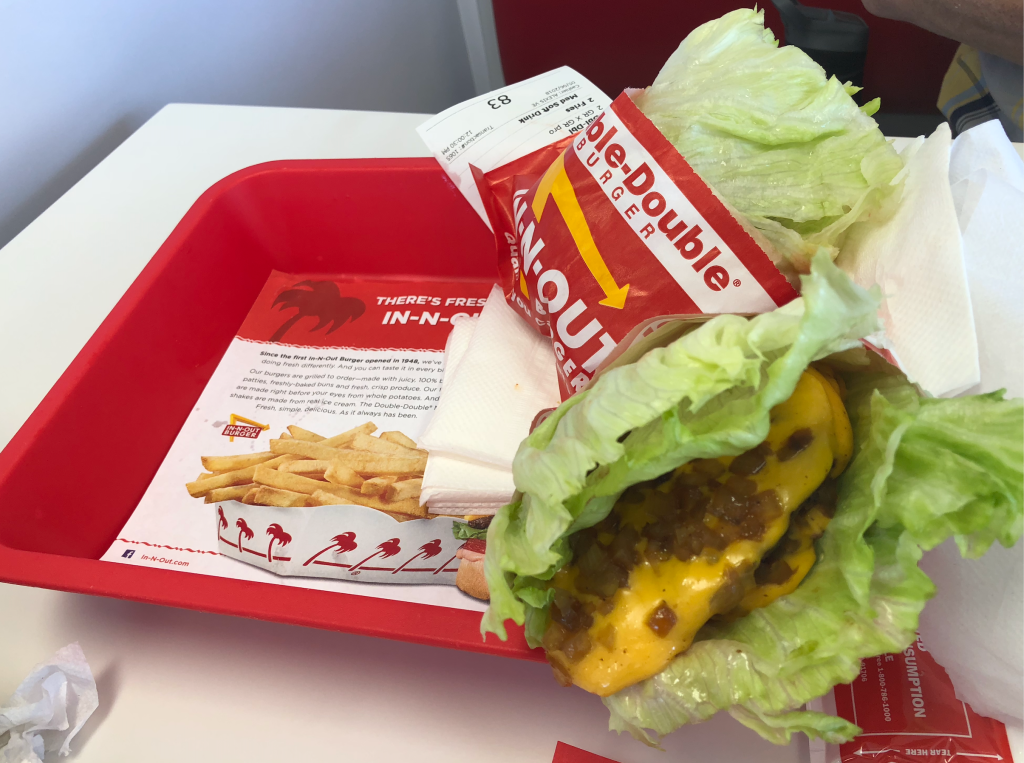
There are a variety of amazing restaurants for almost any food you wish in San Francisco. One example is The Grove where I found this impeccable pastrami sandwich in 2018 while having lunch with other Red Hat Accelerators members…

Rent a Car or not?

- I found it much more practical to walk around while at the Summit than having a car. Everything I need is right around the location of the Summit and using a car would be very impractical and excessively expensive for parking.
- I rented a car at my first Summit in 2014, yet I never used the rental car except to and from the airport. I had to pay about $220.00 USD total for daily parking at the hotel during my stay.
- I used a taxi/Lyft/Uber/etc for subsequent Summit trips and saved money. Evaluate the various transportation services prior to arrival to San Francisco.
- Consider installing the phone app for Uber/Lyft/Curb/Muni/etc app prior to arrival.
- Read into each of the travel services to understand how to verify if the car approaching you is really your ride or not to keep yourself safe. It’s a good idea even at least to avoid confusing someone else’s ride with your own.
- The Red Hat Summit FAQ page has a section on where to park your car while at the Summit.
Hotels Near and Farther
The best deals for immediately nearby hotels are offered during summit registration. Generally, the the hotels closer the Summit are more expensive but nice. A diligent search using Google, Kayak, Yelp will yield other options for those wanting to save some money. You might sacrifice the convenience of being directly nearby perhaps, perhaps not.
Please see the good tip in the comments below by jgkootstra where he mentions the option of cheaper hotels, even if it is more of a walk. One example is Hotel EPIK (Google currently cites Hotel EPIK as permanently closed however you can apparently get rooms there according to the reviews at Yelp and TripAdvisor). If you take a hotel outside the immediate area, you could use the money you saved to take a taxi/Lyft/Uber or one of the scooters, bikes to get around too if you want an even cheaper price. Examine reviews for places you stay at with Yelp and TripAdvisor. Some reviews are more helpful than others.
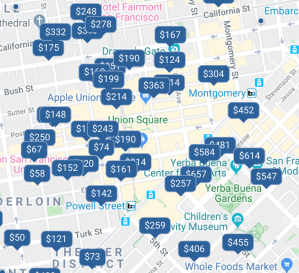
- If you want a hotel within walking distance to the Summit, by all means, plan on booking a hotel while you register for the Summit.
- Red Hat makes arrangements with the closest hotels and these are the best nearby deals available. In my first Summit, I did not book a hotel with the Summit Registration. I now pick one of the hotels Red Hat suggests during the online registration.
- Consider arriving at least one day early. You will have more time to enjoy and see the sights of San Francisco, to get settled, acquire necessities and even take advantage of early site-registration to get your Summit Event Pass.
- Read about the available amenities at your hotels to know what useful services they offer. Some may charge you for WiFi, some won’t. Some will give it for free if you register for their membership program. Most will do laundry for a price and deliver it to your room when it’s done.
- There are numerous stores to get the things you need, be it groceries, nail-clippers, shaving supplies, electronic supplies, shoelaces, personal necessities and so forth.
- Amazon.com will deliver your orders to nearby lockers in the city. Some sources I found say that Amazon will deliver to your hotel, but make sure to make arrangements with the Hotel’s front desk.
Site Registration & Sessions

This is one place you can register
- Red Hat allow you to pick your sessions in advance after online registration. The most popular sessions fill up fast, sign up for sessions, classes, events early!
- The day before the Summit, you can pick up your 2020 Summit Pass, Sunday April 26th at the “Pre-Summit” at the Moscone South Lobby Level from 7:00 a.m. until 6:00 p.m. I did this one year, it was helpful to have this taken care of early.
- There is a First Timer’s Reception Sunday, April 26th at Moscone South, 4:00 p.m. – 6:00 p.m.
Walking is good
- Have comfortable shoes for walking while at the Summit. The Summit is located across three major buildings comprising the Moscone Center.
- There is plenty of walking involved in exploring the sessions you pick, and all the Summit has to offer.
- Everything you need is within walking distance, and most people walk to and from all the sessions and around the city for what they need. Walking is good exercise too.
- There are a lot of wonderful foods available at the Summit, and also nearby. Getting your steps in by walking everywhere will help you curb some of the deliciousness you’ll experience.
Things to bring

- Did I mentioned bring comfortable shoes? A previous Summit attendee reminded me of this point again because they didn’t.
- The site named herpackinglist.com looks comprehensive, especially the Ultimate Female Travel Packing List.
- Know what you can bring on a plane if you are flying. See the Transportation Security Agency (TSA) website for all the details.
- TSA-approved travel-sized bottles – If you’re traveling carry-on only, you’ll need a few little bottles to pack your liquids. This set has every type of bottle you could need, all small enough to fly.
- Noise-canceling headphones really make a difference when you are on a airplane with really persistently noisy distractions. This can make the difference for me between a somewhat restful flight or not.
- Consider having movies downloaded to a phone or tablet if you are taking a flight. Another good thing to have is is a Kindle e-reader loaded with your books which fits nicely in a jacket and stores hundreds of books.
- You can try to pack smarter for your trip by having an idea of the usual seasons and weather for the time of year you visit San Francisco.
- San Francisco’s weather can be unpredictable. The locals describe “microclimates”, (one part of the city may have different weather than another). A local scientist wrote a nice list of things to bring with the unusual weather you can experience.
- Bring at least a lightweight jacket, maybe one that can take rain. You can buy one at nearby stores. They sell jackets and hoodies of various types at the Red Hat Cool Stuff store. Some vendors give away pull-over hoodies.
- A hat, sunglasses and sunblock are good if you are outside seeing the sights. I forgot a hat and was cooked while photographing the city over the weekend. You can get hats from the Red Hat stores and the vendors give them away.
- Parts of the Bay Area charge for coffee cups, so consider bringing your own mug. The Red Hat store sells a variety of nice coffee cups including the amazing Contigo spill proof cups at the Summit.
Have an Electronics Charge Plan

- Traveling will place a heavy drain on phone and tablet batteries. I always see people gathered around wall outlets at airports and at the Summit. Having charged power banks available can liberate your from being chained to a wall for power.
- Be careful in airports against known fraudulent scam charging stations that will attempt to steal your private information. Here’s another warning on this topic.
- I recommend having a few decent power banks to charge cell phones/tablets. Have these prior to travel because people will snap up the ones in the nearby stores.
- Have the necessary power converters for your devices in advance if you are traveling from overseas.
- Bring a multi-port USB wall charger to charge your devices at night at your hotel. Remember to bring extra cords you need to charge all your devices.
- Have your charging cables readily accessible when traveling and at the Summit.
- My new phone was draining fast until I adjusted the settings to reduce the power drain. These settings vary from one phone to another.
- Turn off location services for any apps that do not require it or limit it to only while the app is in use.
During the Summit
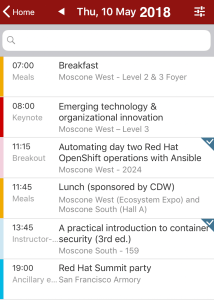
- Red Hat has a cell phone app to keep track of your agenda and the sessions you’ve signed up for. You can connect with other people and share your contact info with others you have met, or not.
- You will receive a nice backpack during initial site registration at the Summit. You will find many things in the bag including a water bottle. Have a unique sticker in advance to put on the water bottle they give you because everyone has the same bottle and it’s easy to get them mixed up.
- The vendors will give away a lot of fun swag, T-shirts and more. There are hands-on labs you can do on-demand. The bag Red Hat gives you will get full fast and can become quite heavy. Consider a smaller roll-around suitcase/bag to take the strain off of your shoulder. You can carry your tablet or laptop and other things without taking a toll against your neck and shoulders.
- This list here might be overkill, but evaluate what may be useful for you.
Throughout the Day
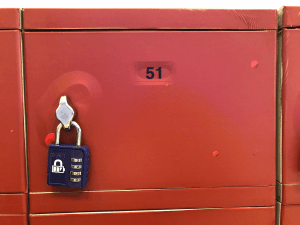
- Consider making a trip to your hotel to unload vendor swag or heavy items you may not want to carry all day long.
- There are daily use lockers with locks that you can rent for free in the Moscone West building on the first floor. The lockers even have chargers inside.
- Keep your daily agenda in mind throughout the day and prepare yourself to know where the next session will be so you can get there with a plan in mind.
- Red Hat has a “Cool Stuff” store where there are lots of shirts, jackets, hats, and other things to buy. They even have some nice electronics. If you’re going to buy shirts, you could potentially pack less clothing and wear the shirts you buy.
- There is usually a $20.00 USD coupon you can earn for the Red Hat store if you go around and get a bunch of stamps from vendors and places within the Summit. It doesn’t take too long to complete; I used mine against a button-down shirt I wanted that was on sale.
City Safety

- Traffic is busy in San Francisco. Use caution, use the crosswalk and wait for the light.
- Crime is an issue in San Francisco. There are some basic tips to keep yourself safe.
- Safety tips generally boil down to not being distracted, being aware of your surroundings and the people all around you. Make sure to your belongings, zip up your bags and pockets.
- Be wary of those that offer distractions which can be a ploy for an accomplice to take advantage (theft) of your misdirected attention.
- Do not leave your cell phone or electronics unattended. Imagine all the personal information you’d risk if you lost your phone.
- Turn on biometric safeguards on your phone and have Two Factor Authentication (2FA) established for email, banking and financial apps, and social media, and any app with sensitive information.
- Consider turning on “find-my-phone” and remote wiping features on your phone. Perform routine backups on your phone.
- Consider a VPN and be wary of fake WiFi spots as mentioned in this article.
- Most people don’t experience crime, but it happens. Avoid becoming a statistic by being circumspect as you walk with your belongings. Be aware of everything, don’t look like an easy mark. Secure your pockets that have valuables or wallets.
- A current Google search of “cell phone theft San Francisco” will yield current relevant examples of the issue of cell phone theft San Francisco.
Fantastic Foods

- Your Summit pass includes daily catered food that is pretty amazing considering the volume of people they serve. They have daily breakfast and Lunch.
- Evening food is available in the vendor area including all types of drinks you’d expect. Local restaurants and hotels are an option for food, yet the catered food has variety and is delicious.
- There is good coffee and tea available usually in the 2nd floor of the West Moscone center.
- San Francisco has a wonderful selection of culinary delights nearby. Mel’s Diner on Mission Street hash fantastic food and service.

This is one of the breakfasts provided by the Red Hat summit with eggs, peanut butter, jam, breads etc. The breakfast and lunch variety is different each day.
Some eat breakfast in their hotels for convenience or go to sample the foods in nearby restaurants.
Consider the reviews at places such as Google or Yelp when evaluating restaurants. Just be aware of your options and do what works for you. I’d say most Summit attendees take advantage of the catered food. They’ve done a lot of renovations to the Moscone Center, so check your Red Hat Summit app for the specifics.

Brandy Ho’s Hunan Restaurant on 217 Columbus Ave is one of the very best Chinese restaurants you will find in San Francisco. The food is always fresh, delicious. The restaurant opened in 1980 by the three brothers, Brandy, Jack and Sedgewick.
They are famous for Hunan food which has the features of chili pepper, shallots and garlic. However, the food is not dominated by these flavors, and their menu is diverse.
Their Chicken Curry is one of the very best meals I’ve had in my lifetime. All of their food is amazing, fresh and cooked right in front of you in a very open kitchen. No MSG either. They don’t need it, the food is always exemplary.
Translation Please

The Red Hat Summit has attendees from all over the world, and San Francisco has people from many cultures. The Google Translate app is highly useful when attempting to overcome translation barriers with other attendees, and the people in San Francisco. This may sound overly obvious, but using complete sentences really helps improve the quality of the translation from your language to another person’s. This particular phrase at right was very popular with the shopkeepers when I was talking to people in China Town. They found it hilarious and called co-workers over to see it and even took the time to take a photo of my phone when I showed it to them.
Some Additional Photos
Here are some additional photos I took:


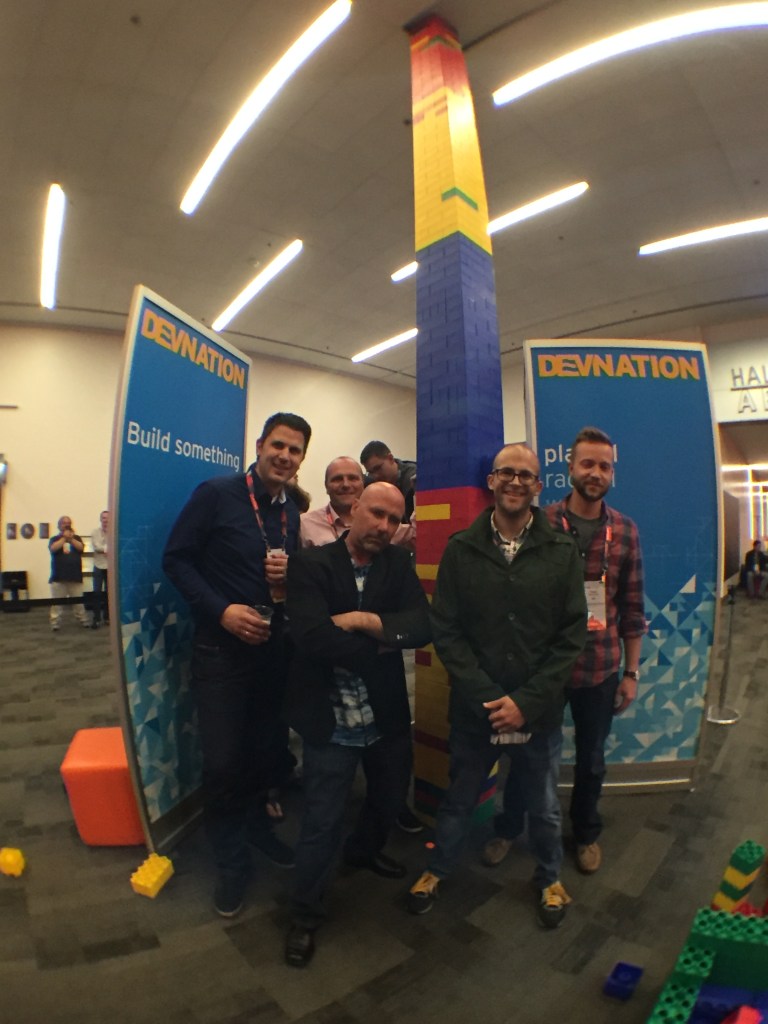
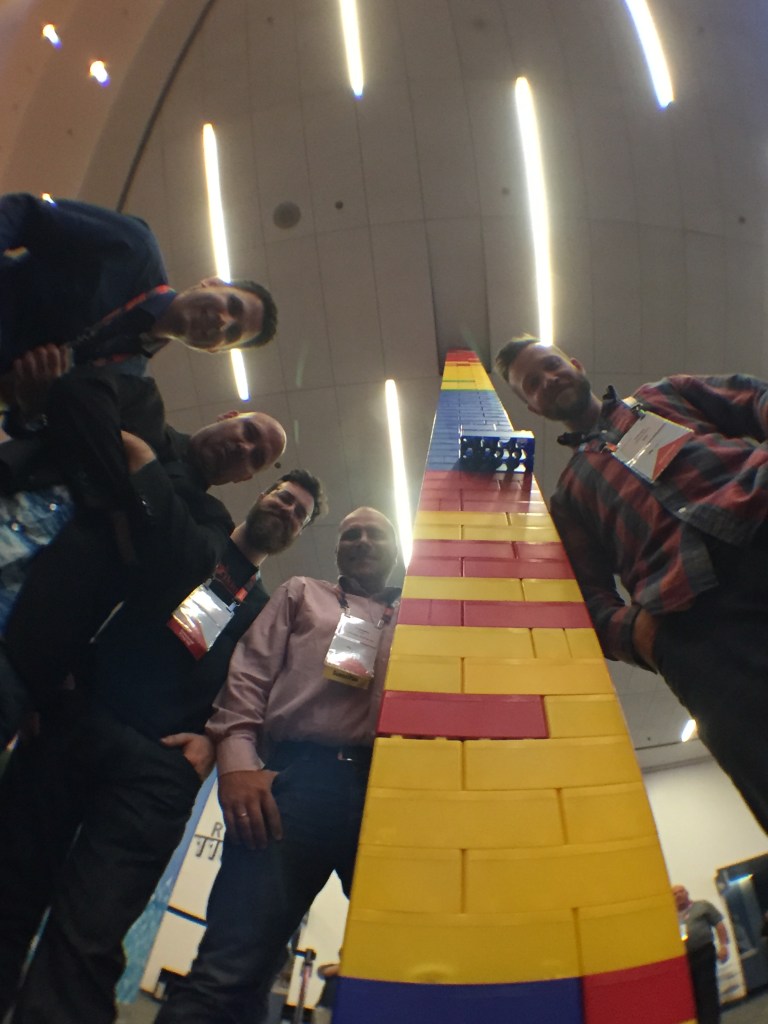

My article can not possibly consider everyone’s experience – Please post what worked for you when attending the Red Hat Summit. I have a friend who travels occasionally to San Francisco for other technology events. Tips from other technology events are also helpful. Please feel free to comment on what worked for you. Please see the comments below. This is the link to part 2 of this guide.

While I am not a representative of Red Hat and my views about Red Hat are just my own, I am a member of the official Red Hat Accelerators community, which gives me the connection to Red Hat and through which I engage with other RHA team members.
Privacy, Blogs & Domain Names

Practical Privacy and Domain Name tips
The bottom line is, a domain name can help brand your blog or website, especially if your blog becomes popular. The reasons you might want a domain name are nicely explained by Dena Haines here. Now besides the “whys” of getting a domain name, there are some very important privacy issues to know if you do acquire a domain name.
I was actually involved with the domain-name boom in the early 2000s. We had quite a lot of domain names. Mostly it was my brother’s business, but I designed his website. This involvement caused me to learn about the domain name business. Acquiring a domain name can lead you to many uncharted waters with a myriad of choices.
Before I go down the path of reducing privacy risks, the next two paragraphs are on picking a domain name, and some related thoughts. Then back to reducing privacy risks. One side note, the Post Office Street Address Service (mentioned later) can also resolve the problem of porch pirates who steal your packages.
Domain Names Tips: A blogger named Erin Michaela put together a fine article loaded with tips on picking a domain name, where to buy one, what to do and not do, and other salient topics. Start with that link to get some good tips on picking a decent domain name. It’s not totally comprehensive, but it’s solid enough.
Maybe get a domain name, maybe don’t: A domain name is not mandatory, but it might be useful for recognition or your “brand”. If you want to blog, there are many ways to do this fast without a domain name. You can start blogging in the next 15 minutes by signing up for a Google account, and using blogger.com, or getting a free WordPress account. Of course, you’re reading my blog now at Medium.com. While Medium.com is apparently free, I did have to pay $5.00 a month to get past some annoying restrictions. I’m using medium.com at the moment, but I am also trying different options such as WordPress. You can even host your own website on your own private server at home, or through Amazon Web Services if you possess the technical foundation.
One very important and overlooked aspect of domain names is your privacy. When you buy a domain name, it’s mandatory to provide your contact information and have it in the very public WHOIS database. Everyone can see it. If you do not use precautions, you will be spammed at your address, phone, and email relentlessly. The contact information includes your name, physical and email address and phone number. This is required by the Internet Corporation for Assigned Names and Numbers (ICANN).
You really want to protect yourself from spammers, marketers, online fraudsters, stalkers and so forth. I’ve owned numerous domain names and was at one time spammed a bit at my mailbox and email address.
You can protect yourself with even a few safeguards.
- Use a private domain name registration where available. I recommend two companies for registering a domain name, NetworkSolutions, and NameCheap:
- NetworkSolutions has a very good privacy feature explained at this link. If you use them, seriously consider their privacy service. They have a practical example of this service at this link (scroll down at that page).
- Another company called namecheap.com has a wonderful privacy feature called whoisguard available for free when you buy a domain with them. Please seriously consider that feature if you use them, it is free for life as I type this article. In principle, I recommend any registrar that offers a viable domain name privacy feature. I just happen to have first-hand knowledge of the two above.
- Get a Google Voice phone number (free) and assign it to your phone. You have increased controls over spam and can even block people, spammers, companies with a sound that makes it appear that phone number is no longer valid. You are not giving away your primary number this way. If you move, you can point your Google Voice number to your new number easily.
- Buy a post office box and get the Street Addressing service and assign your domain name registration to your PO Box even if it is private. (This is for the United States, contact your nation’s mail delivery agency if you are outside the US.) Please see their important explanation quoted below.
With this service, you will have the option of using the street address of this Post Office location for your mailing address in addition to your PO Box number. For example, if a Post Office is located on 500 Main Street and you have PO Box 59, your mail would be addressed 500 Main Street #59. You will also be able to use the street address to receive most packages and deliveries through private carriers, such as UPS and FedEx. Both Street Addressed mail and PO Box addressed mail can be delivered to your PO Box
https://www.usps.com/pobox/customer-agreement-for-premium-po-box-service-enhancements.pdf
- There is more to the topic on domain privacy at this Domain Privacy Wikipedia article, it doesn’t quite read like a legal document but it’s useful to know, or to have as a reference.
Here’s what we’ve covered.
- If you buy a domain name, consider using one of the mentioned registrars and use their form of privacy guard to protect your contact information
- Consider a Post Office box and Google Voice to isolate yourself from spammers etc.
- In the United States, you can use the Post Office box to also receive packages from deliveries by using the U.S. Postal Service’s “Street Addressing Service” explained earlier.
- I didn’t cover it in detail, but you can take your domain name you purchased from NetworkSolutions.com or Namecheap.com and assign it to your blog/blogging service. I’ll make a blog post on that along with a list of blogging services another time in the near future.
- You can run your own server at your home, and point the world to your server. Please only do this if you have the technical foundation and understand the ramifications. This will be another future post. You’ll need to maintain your hardware, operating system and software and monitor it against people who will attempt to take over your system.
- You can rent a server, even short term from Amazon.com Web Services. They offer a one-year free virtual micro-server. You have to pay for the service after that. It’s a good quick short-term solution, and they have many useful options. I recommend this only for those who have the technical foundation to stand up to this.
While I am not a representative of Red Hat and my views about Red Hat are just my own, I am a member of the official Red Hat Accelerators community, which gives me the connection to Red Hat and through which I engage with other RHA team members.

Introductions
Everything has a beginning, like my blog here. This post is a small introduction about me and even smaller amount on the topic of blogging. I’m researching blogging for the Red Hat Accelerator program of which I’m a member of. This link here is very tiny description from Red Hat on the program. By the way, I also like photography, and I took this iconic San Francisco photo while at the 2018 Red Hat Summit.
We “Accelerators” are not employees of Red Hat, but we’re a collection of expert geeks or nerds (there is some overlap, I’m sure), that had to interview for the program. My blog’s intention is to discuss blogging and technical Linux things.
I’ve been working with computers since the 1980s, and have extensive experience with Windows Servers/Workstations, then I graduated to UNIX, and that led me to Linux. This led me to focus on Red Hat Linux and CentOS. I was once a speaker at the Red Hat Summit in 2014 which was quite an honor. I’ve been actively involved in the Red Hat discussion forum. Go figure, I work professionally with Red Hat and CentOS products.
Blogging is quite popular, and many have things to share. My focus will mostly be technical. Those in the Red Hat Accelerator program have some things to share, so some of us blog and it’s spreading. Some of us have already written blogs, or done documentation to some degree professionally.
I’ve written huge websites for various organizations, and documentation for technical support centers. For web development, I started with notepad, went to Dreamweaver, then transitioned to writing and maintaining sites with vi/vim and later doing mass edits with sed. I was one of those guys who cared about HTML/CSS standards compliance too. I have previously taught HTML and CSS (code only, not graphical interfaces) as a class as well.
Blogging has many topics. Do I get my own domain name and how? Which domain or blog host is good (or good for me)? What about content, style, social media, paid sites or free? There are a lot of topics. Medium seems to have some noteworthy merit with a paywall. Some may debate this, but I hope Medium has success with their example. There are obviously other choices, WordPress (even Cisco uses them), Blogger, Ghost, or even host your own on blog your own server. What works for one person may not work for another.
I used to have a website many years ago named codemoose.com, so that’s why I have “CodeMoose” in my username here at Medium. (I no longer own codemoose.com, and I’m not paying $4700 to reclaim it). If you google codemoose now, there’s a tremendous amount of distractors (and overwhelmingly not me). I picked it at the time because I thought it was funny, and apparently others thought it was funny too and people began using it. Sure, that’s fine. Anyway, I lived in Alaska and moose are interesting creatures.
My next posts will involve exploring the things surrounding blogging.
While I am not a representative of Red Hat and my views about Red Hat are just my own, I am a member of the official Red Hat Accelerators community, which gives me the connection to Red Hat and through which I engage with other RHA team members.
 CodeMoose